
Where to Find Active Votes:
You can access a vote through either of these locations:
-
Home Screen Widget:
Navigate to Home using the top navigation bar. If a vote is active, you’ll see a widget titled "Meetings/Votes/Polls".
Note: This widget only appears when a vote is available in your community.%20(1)-png-1.png?width=350&height=230&name=mmn-ismynest-com_home-asp_ChatId=422(Hi%20Res%20Screenshot)%20(1)-png-1.png)
-
Community Tab:
Navigate to your community’s tab. If there’s an active vote, it will be listed there at the bottom.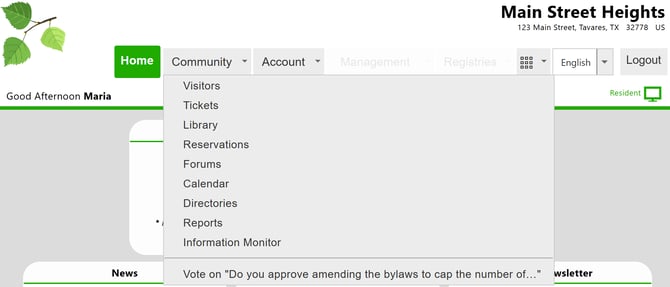
How to Submit Your Vote:
Once you’ve clicked on the voting topic (from either access point):
-
A popup will appear showing the voting topic:
-png.png?width=600&height=303&name=mmn-ismynest-com_Home-asp(Hi%20Res%20Screenshot)-png.png)
-
If multiple voting options are available, select the one you wish to vote on.
-
The system will show the Unit you’re voting on behalf of (e.g., Unit 202).
-
Click Select to open the ballot:
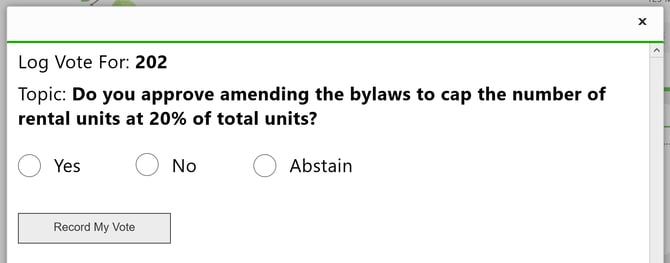
-
On the ballot, mark your choice by checking the appropriate bubble.
-
Click Record My Vote to submit your vote.
Final Notes:
✔ You can only vote when a vote is active and assigned to your unit.
✔ Voting rules are set by your board/administration. If you have any issues, please reach out to them.